How Do AI Chatbots Work?
AI comes in many forms - from recommendation systems to self-driving cars. Today we're focusing on AI chatbots, the tools you'll use most often in your work.
The "Zip File of the Internet" Mental Model
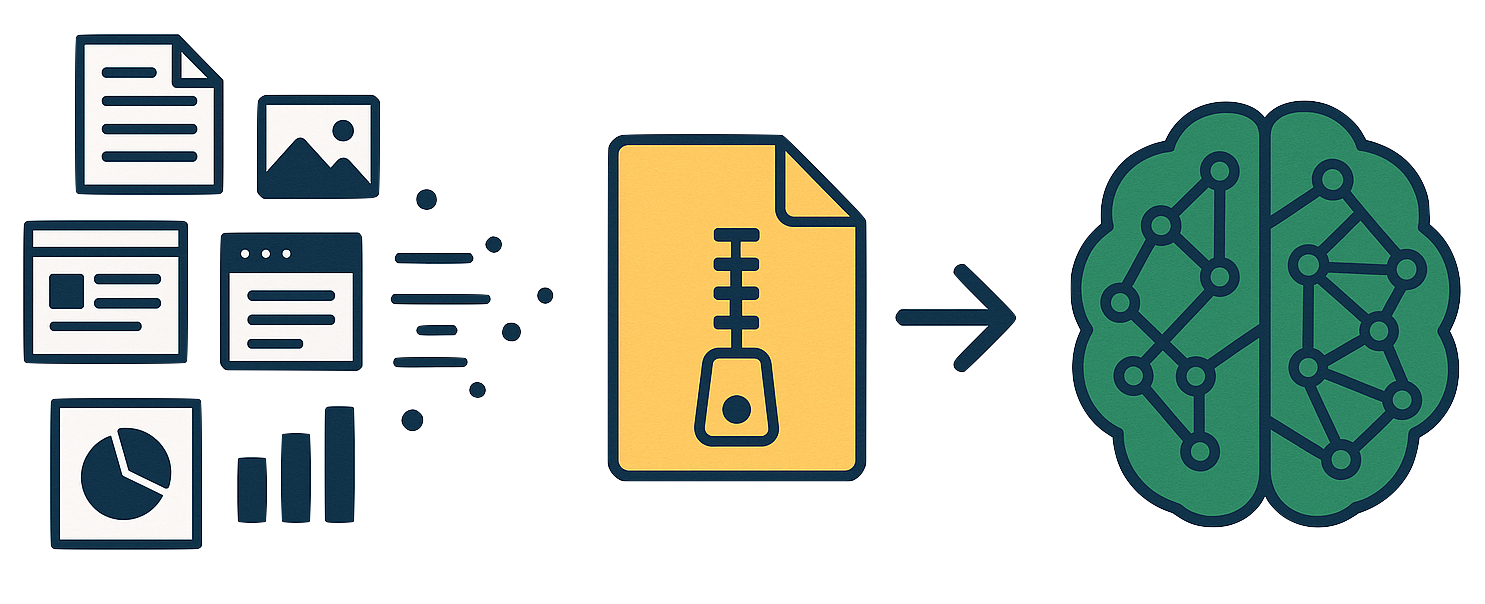
Think of Large Language Models (LLMs) like ChatGPT as a "zip file" of the internet. During training, the AI reads essentially all of the internet and compresses that knowledge into its neural network. When you ask a question, it's recalling information from this compressed knowledge base.
This compression happens through a process called pre-training, where the model learns patterns from massive amounts of text. Then, through post-training, human labelers fine-tune it to respond helpfully as an assistant.
See what's in the training data: FineWeb Explorer lets you search through a sample of the actual web pages used to train AI models.
Prompts: How You Talk to AI
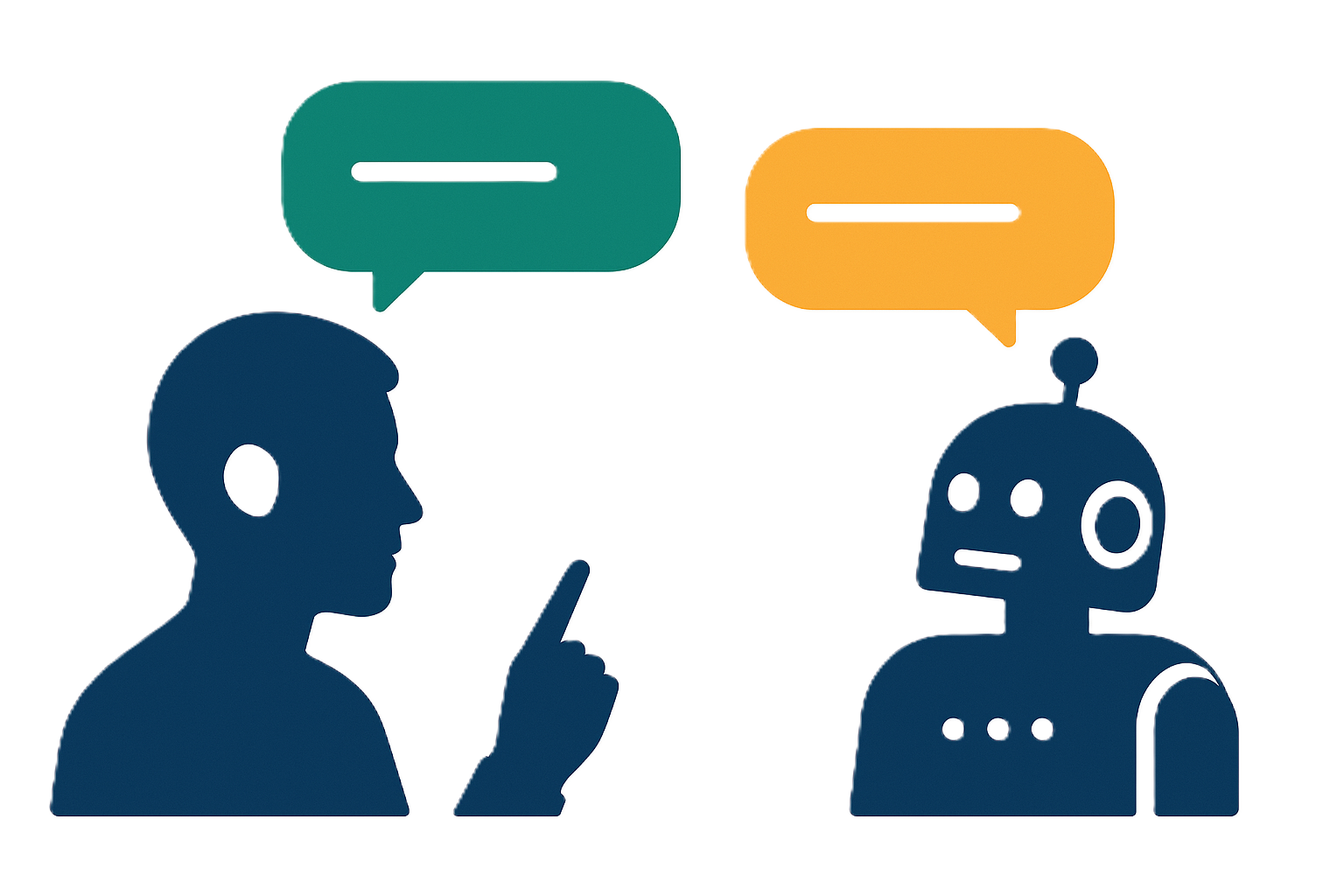
A prompt is simply what you type (or say) to the AI. It's your input - the question, instruction, or request that kicks off the conversation. Everything you've learned so far - tokens, context windows, modalities - all comes together in your prompt.
When you send a prompt:
- Your text gets broken into tokens
- Those tokens enter the AI's context window
- Prompts other forms of data like images or files
- The AI predicts the most helpful response based on patterns from its training
- Some predictions will invoke the usage of external tools or plugins
The quality of AI's output depends heavily on the quality of your input. Vague prompts get vague answers. Specific, well-structured prompts get useful responses. This is why "prompt engineering" has become such a valuable skill.
Key insight: You're not searching a database or giving commands to a simple program. You're having a conversation with a system that predicts helpful responses. The more context and clarity you provide, the better it can help you.
Understanding Tokens: How AI Reads Text
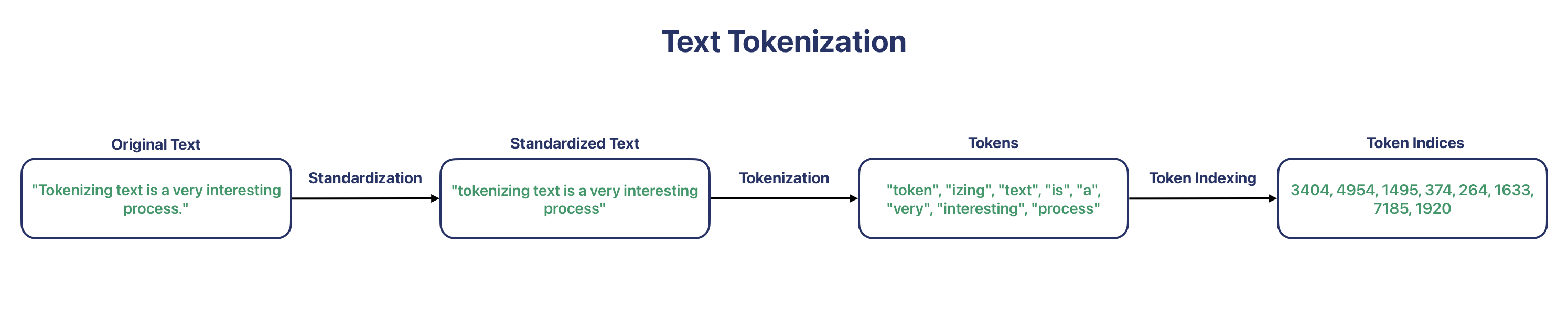
AI doesn't read words the way we do. It breaks text into tokens - small chunks that can be parts of words, whole words, or punctuation. A short sentence might be 15 tokens, while a paragraph could be 50-100 tokens.
Why does this matter?
- Longer conversations use more tokens, which can slow things down
- There's a limit to how many tokens AI can process at once (the "context window")
- Understanding tokens helps you write more efficient prompts
Try it yourself: Tik Tokenizer lets you see exactly how your text gets broken into tokens.
The Context Window: AI's Working Memory
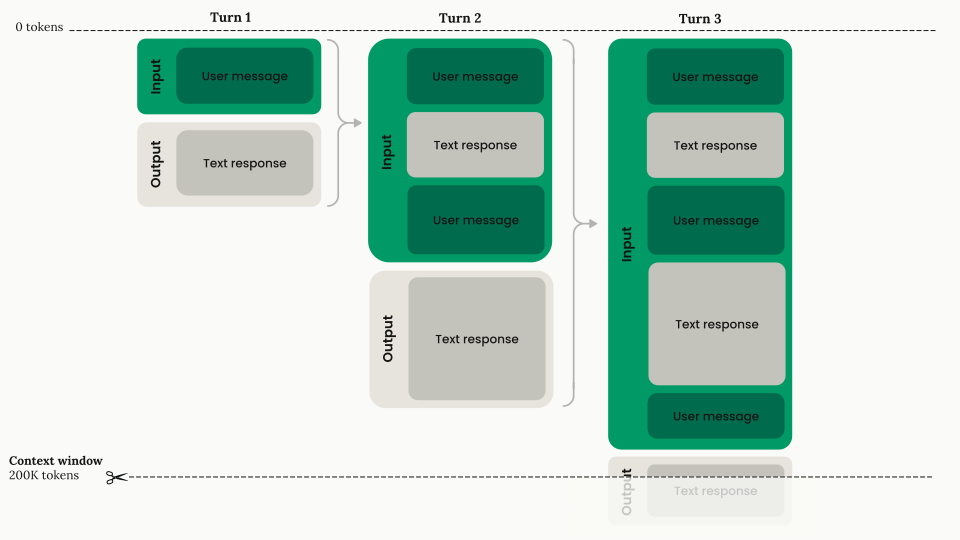
When you chat with AI, you're building a one-dimensional token sequence together. Your messages + AI's responses = the conversation history. This is called the context window - it's the AI's working memory for your conversation.
- AI remembers everything in your current chat
- When you start a new chat, you wipe that memory and start fresh
- Starting fresh is often good - it keeps the AI focused on your current task
The context window can be thought of like a short-term memory for the AI. It holds the recent conversation so the AI can respond appropriately, but it has a limited capacity.
Tip: Start a new chat when switching to a completely different topic. This prevents the AI from being distracted by old content and can improve response quality.
Visualize it: Context Window Size Visualizer lets you select different AI models and see exactly how much text fits in their context window - scroll through randomly generated content to experience the actual volume each model can process.
Probabilistic Recall: Why AI Can Be Wrong
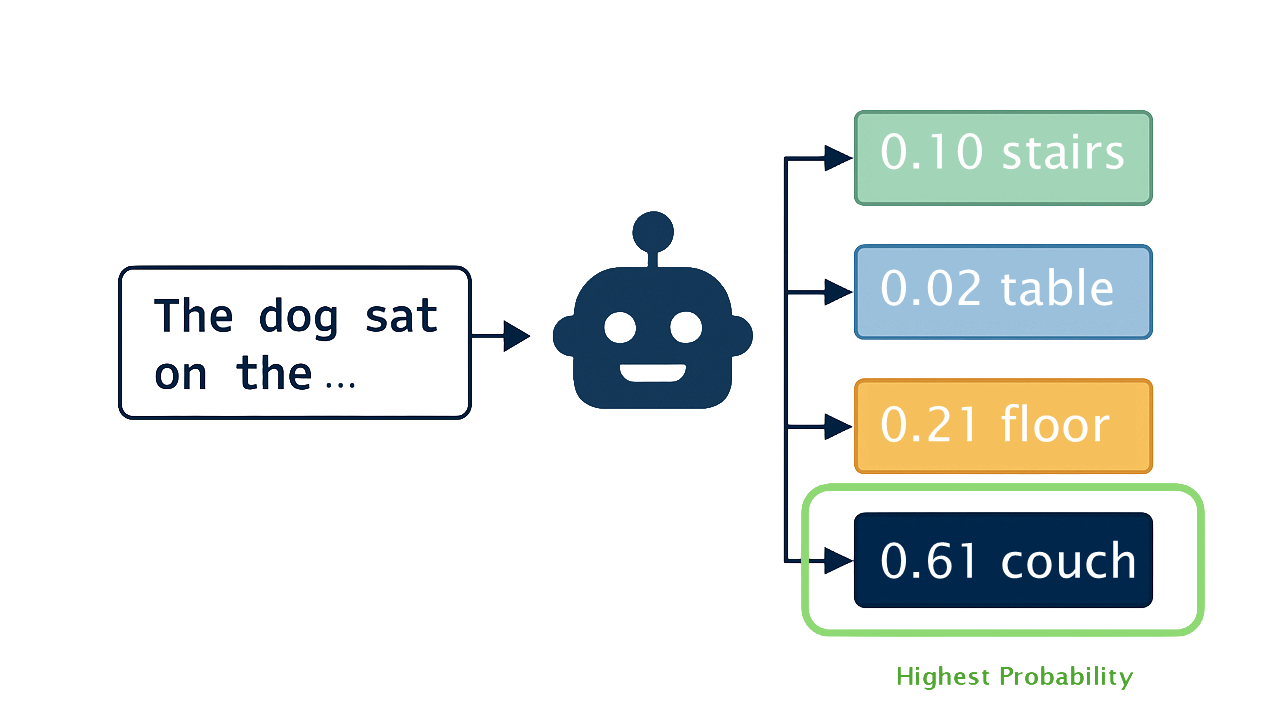
AI doesn't "remember" facts like a database looks up records. It probabilistically reconstructs information based on patterns. This means:
- It can occasionally get facts wrong (called "hallucinations")
- It may sound confident even when incorrect
- Common information is more reliable than obscure details
- Always verify important information against primary sources
You've seen this before: Your phone's predictive text keyboard works the same way - it suggests words based on patterns, not by looking them up in a dictionary. AI chatbots are just a much larger version of this same concept.
Two Critical Limitations of Core LLMs
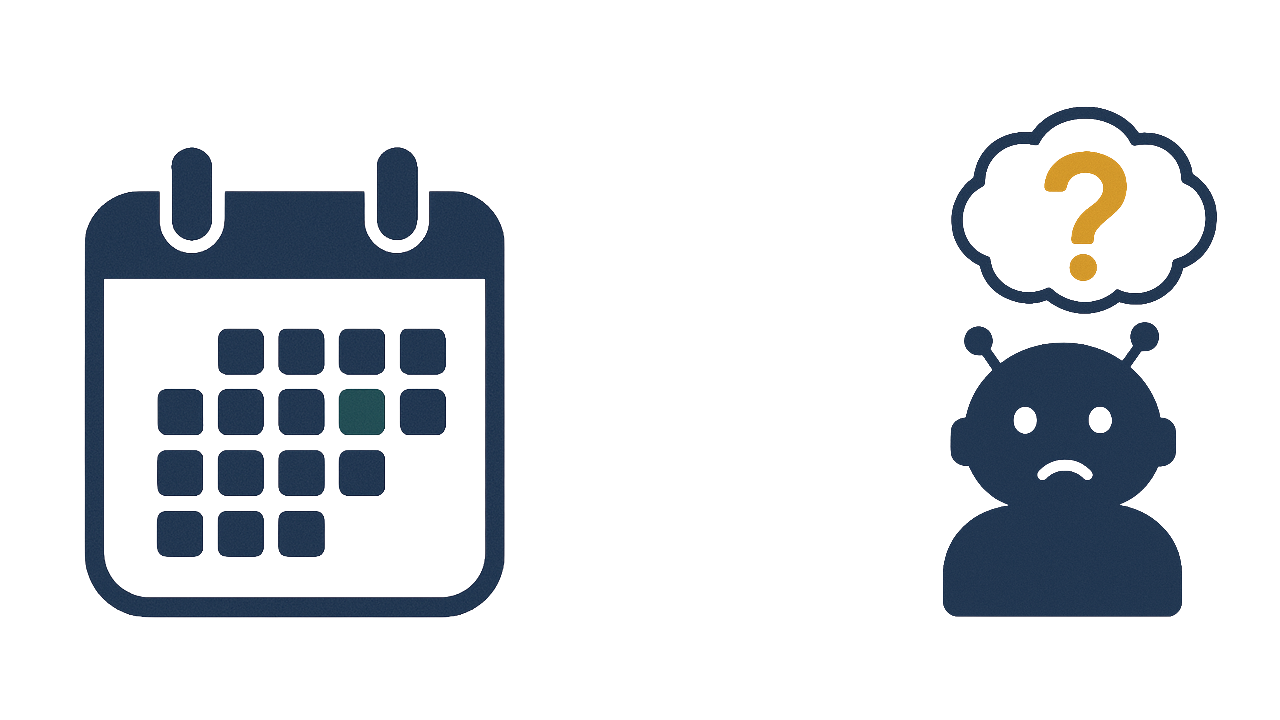
By default, when you talk to an AI, you're talking to a self-contained entity. There's no calculator, no internet connection, no access to your files - just a neural network predicting helpful responses based on its compressed knowledge. This creates two important limitations:
- Knowledge cutoff dates - AI models are trained at a specific point in time, so they don't automatically know about recent news, current job postings, or today's market conditions. (See current cutoff dates)
- Niche information gaps - AI excels at common knowledge but struggles with specialized, local information like specific company cultures, regional employer preferences, or your school's particular policies.
The good news? These limitations have solutions. Modern AI tools come equipped with additional capabilities that extend what they can do far beyond their base training...
Modalities: Different Ways to Interact

AI isn't limited to text. You can interact through voice and images too - but under the hood, everything still becomes tokens in that same context window.
Voice: Speak instead of type (tap the microphone icon). Your speech gets transcribed to text, converted to tokens, and processed like any typed message. Advanced Voice Mode in ChatGPT enables real-time conversations - great for mock interview practice.
Image Input: Upload photos and the AI "sees" them by converting the image into tokens (through a process of breaking it into patches). This works for text-based images like screenshots and documents, but also for identifying objects, plants, animals, landmarks, or anything visual - the AI analyzes what it sees, not just reads text from it.
File Upload (data): Upload files for the AI to analyze and extract information from. This can include documents, spreadsheets, and more, allowing for deeper interaction with your data.
| Modality | Best For |
|---|---|
| Text | Most tasks - the default |
| Voice Input | Quick queries, mobile use |
| Image Input | Photos, screenshots |
| File Upload (data) | Data analysis, report generation |
Thinking Models: When AI Reasons Step by Step
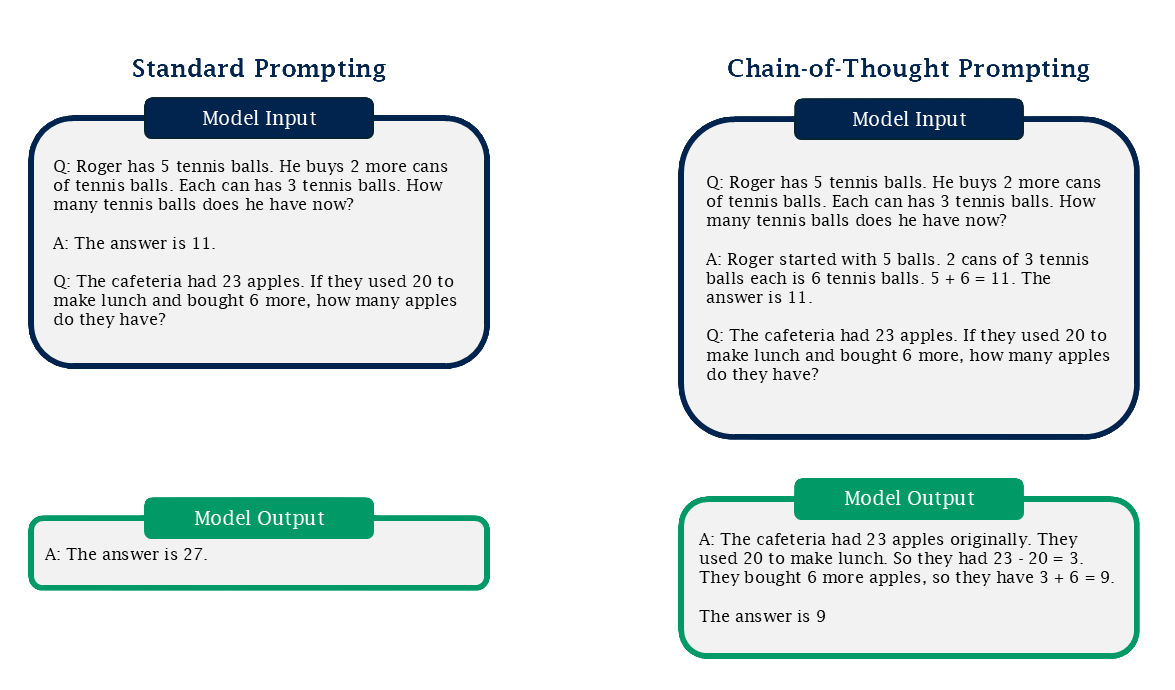
Sometimes you need AI to work through a problem carefully rather than respond instantly. Thinking models (also called reasoning models) take extra time to "think" before answering - breaking complex problems into steps, checking their logic, and considering alternatives.
When you enable thinking mode:
- The AI pauses before responding (seconds to minutes)
- It works through the problem internally, similar to how you might talk yourself through a difficult decision
- You often get more accurate answers for complex tasks
When thinking helps most:
- Math and logic problems
- Multi-step planning
- Analyzing tradeoffs
- Tasks where getting it right matters more than getting it fast
When to skip it:
- Quick factual questions
- Creative brainstorming
- Simple tasks where speed matters
The tradeoff: Thinking takes longer and uses more resources. For straightforward questions, standard mode is faster and works fine. Save thinking mode for when you need the AI to really work through something.
Tools: Extending AI's Capabilities
Remember those limitations? Modern AI solves them by connecting to external tools. When the AI recognizes it needs outside help, it uses a tool, gets the result back, and continues.
Web Search: Bridges both the knowledge cutoff and niche information gaps by searching the internet in real-time. The AI formulates queries, retrieves pages, and synthesizes answers from current sources. Limitation: Not all websites allow AI tools to access their content, so some information may be unavailable.
Code Execution: Some tasks require actual computation rather than language prediction. When needed, the AI writes and runs code to perform calculations, analyze data, or create visualizations - things a language model alone cannot reliably do.
| Tool | What It Does |
|---|---|
| Web Search | Searches internet for current information |
| Code Execution | Runs code for calculations, data analysis, charts |
Deep Research: Your AI Research Assistant

Deep Research isn't just another tool - it's a full research workflow. Instead of a quick web search, the AI becomes a research assistant that works for you over 5-30 minutes, running dozens of searches, reading through sources, and synthesizing findings into a comprehensive report.
How it works:
- You describe what you want to research
- The AI creates a research plan and asks clarifying questions
- It runs 20-50+ web searches, reading and analyzing pages
- It synthesizes everything into a structured report with citations
Best use cases for career services:
- Labor market research - "Research entry-level marketing salaries in the Boston area, including trends and top employers"
- Industry analysis - "What skills are most in-demand for data analytics roles in 2025?"
- Employer research - "Compile information about [Company]'s culture, interview process, and recent news"
- Resource compilation - "Find scholarship opportunities for first-generation college students in STEM"
Where to find it:
- ChatGPT: Look for "Deep Research" in the model selector (requires Plus/Pro)
- Gemini: "Deep Research" option in Google's Gemini
- Perplexity: "Pro Search" offers similar extended research
The tradeoff: Deep Research takes real time (minutes, not seconds) and typically counts against usage limits more heavily. Use it when you need comprehensive research, not for quick questions.